Affiliate tracking for SaaS that credits the right partner
- attribution signals checked in order
- 5
- attribution signals checked in order
- default cookie window
- 60 days
- default cookie window
- cookies set in cookieless mode
- 0
- cookies set in cookieless mode
- link formats from other tools
- 4
- link formats from other tools
The problem
A sale the browser never saw earns the partner nothing
A SaaS buyer clicks a partner link and starts a trial. Weeks later they pay on another device or behind an ad blocker.
Tracking that lives only in the browser loses that sale. The partner who sent the buyer goes unpaid and stops promoting you.
How OpenPromoter solves it
OpenPromoter books the commission from the paid invoice
The click id travels into checkout with the buyer. When your billing system reports the paid invoice, OpenPromoter credits the partner.
Coupon codes credit a partner with no click at all. Links you shared from another tool keep working after you switch.
- Five signals checked in a fixed order
- Coupon codes that need no click
- Commissions from billing webhooks
- A first-party proxy for ad blockers
- Consent mode and cookieless mode
- Links from Rewardful, Tolt and FirstPromoter
- First click or last click per program
- Sub-ids and a QR code on every link
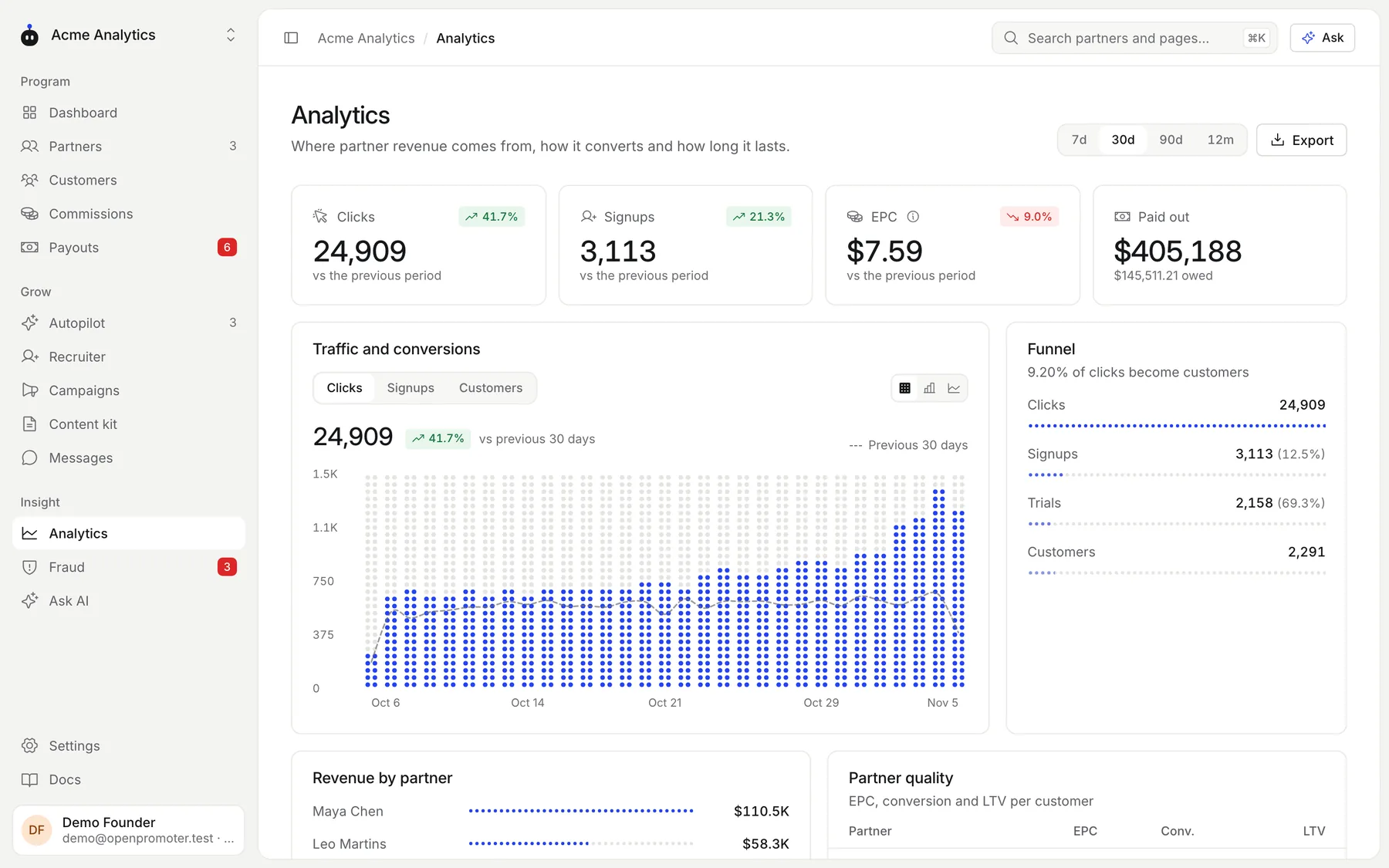
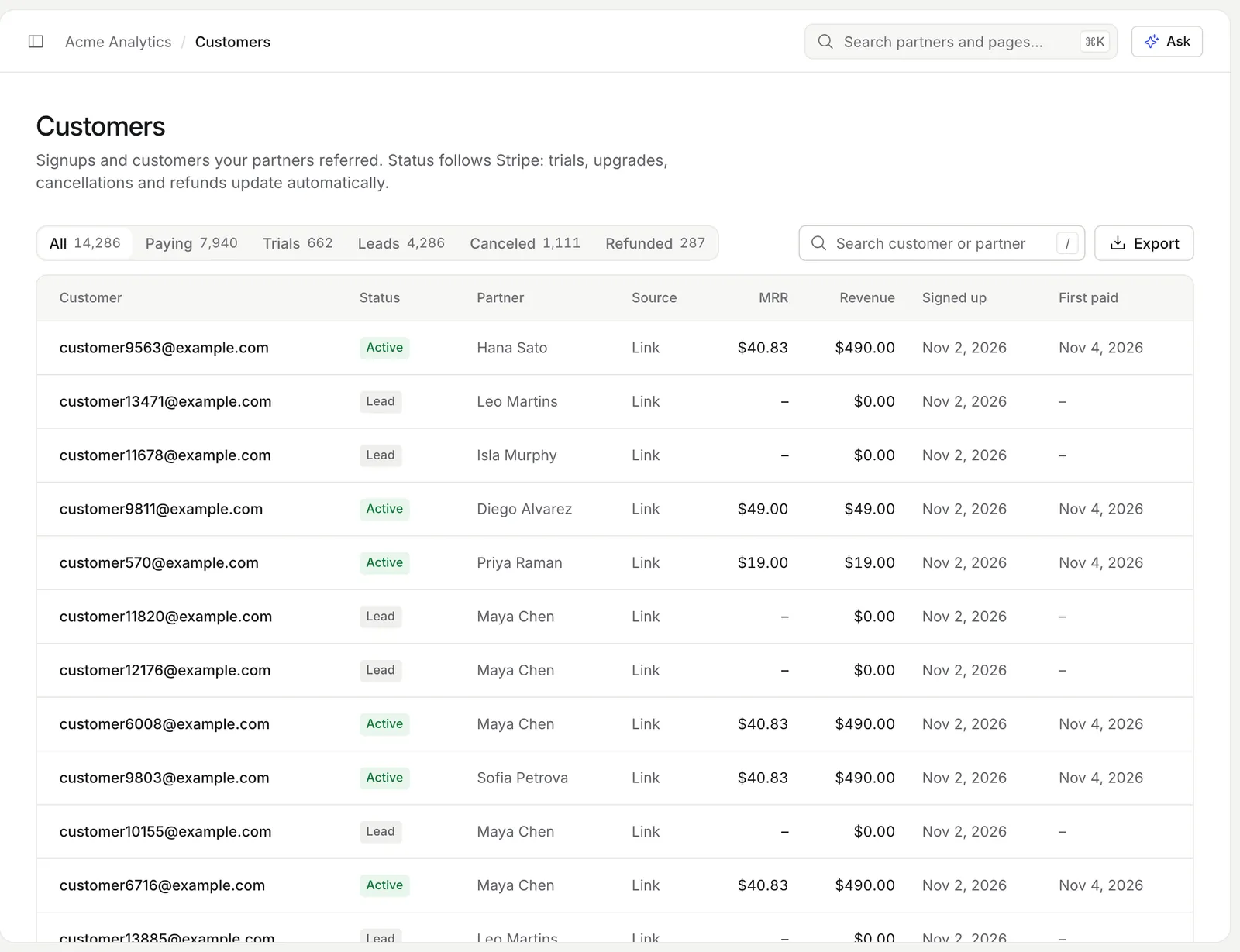
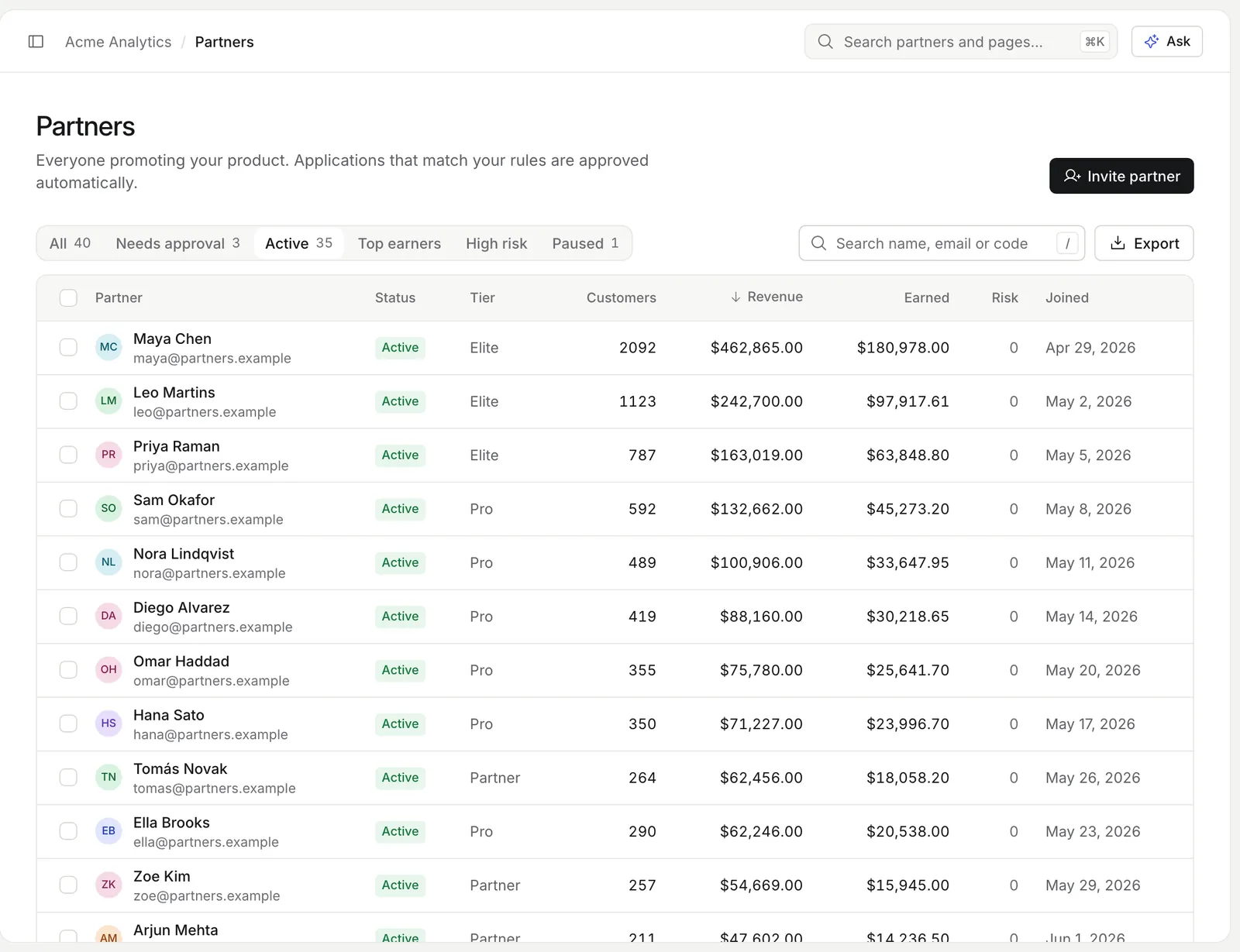
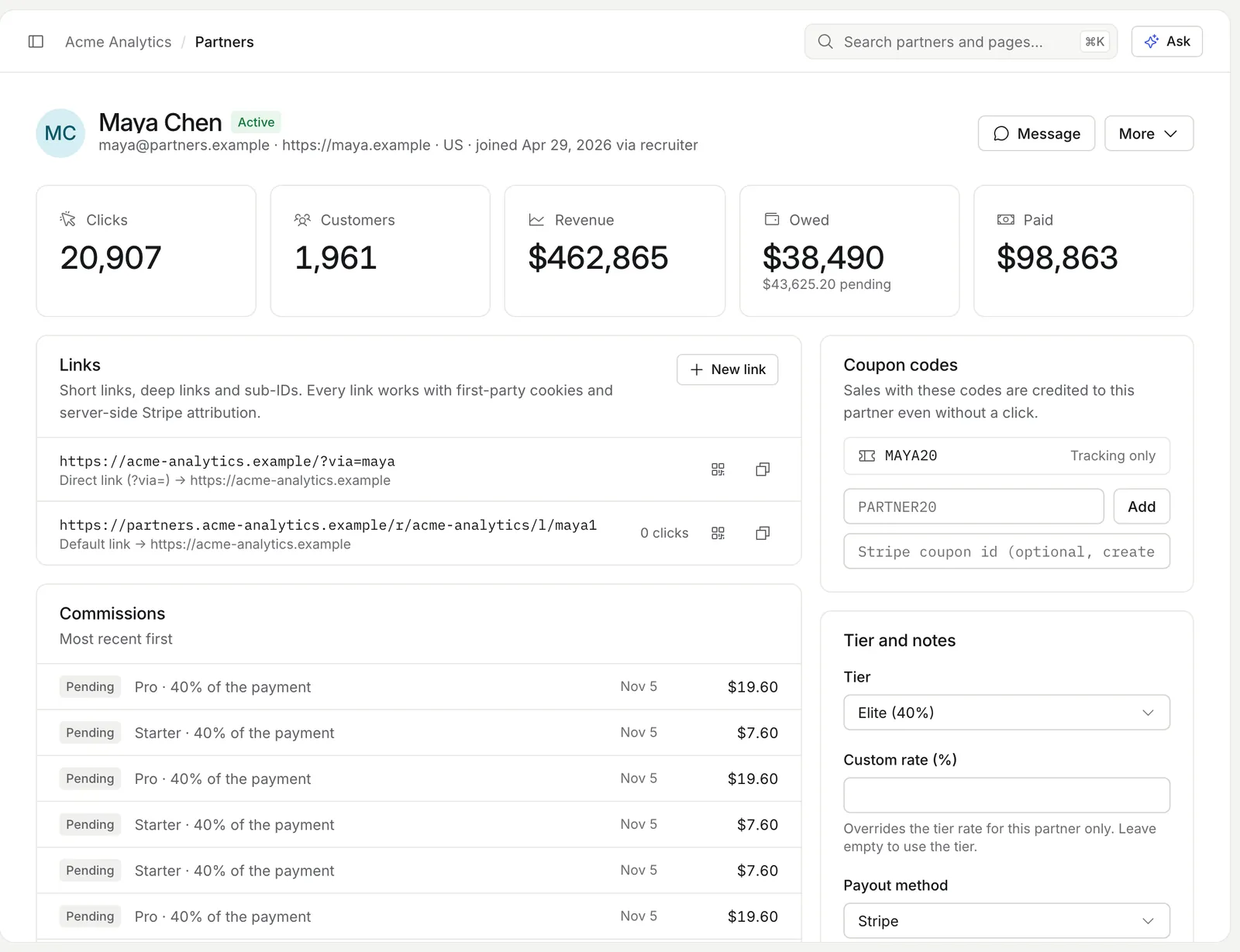
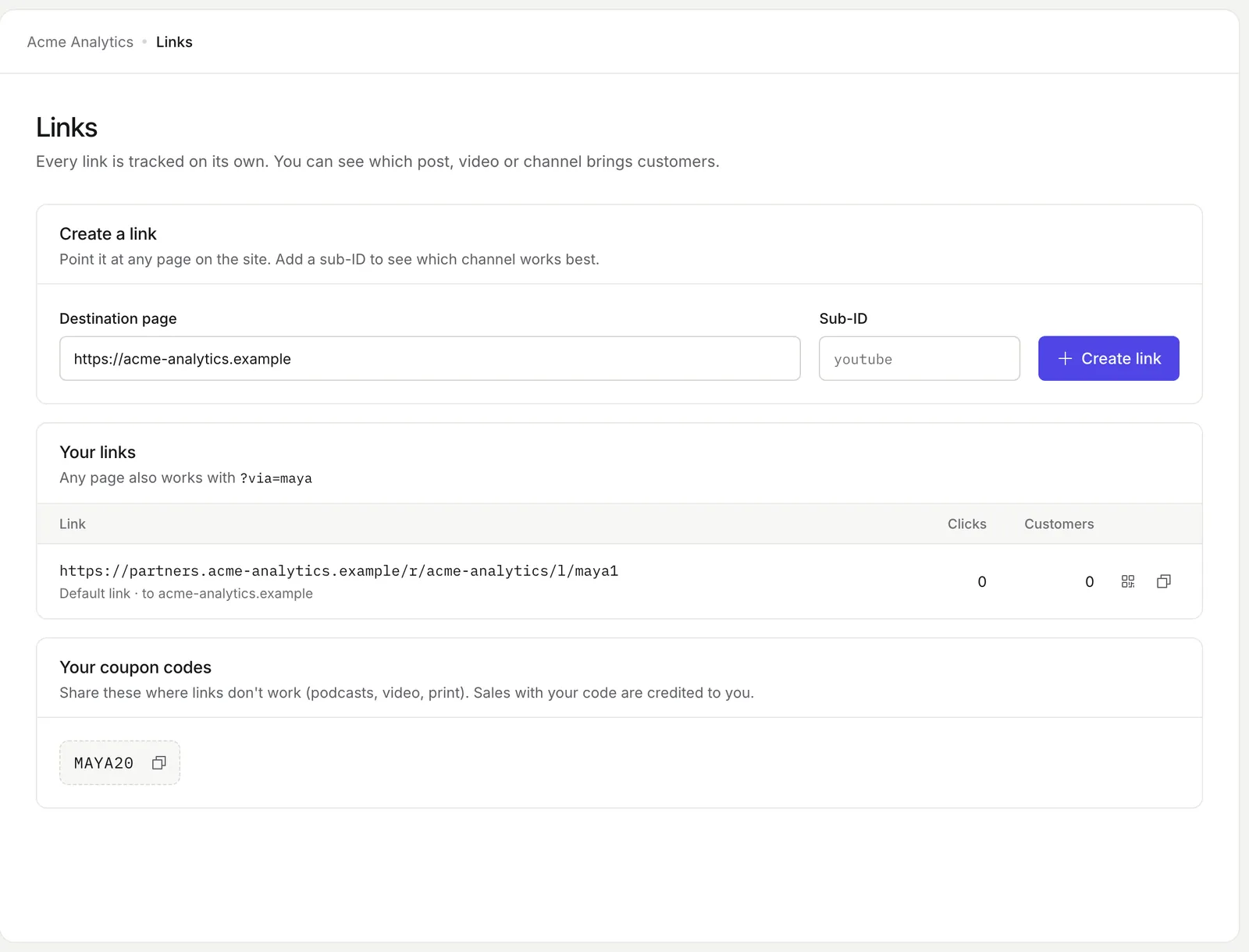
The real screens
Captured from the demo program in the OpenPromoter app.
How it works
- 01
Add op.js to your site
Use one script tag, the npm SDK or one prompt for Claude Code or Cursor. The setup wizard turns green on the first ping.
- 02
A visitor clicks a partner link
op.js keeps the click id in a first-party cookie for 60 days by default. Redirect links record the click on the server first.
- 03
The click id reaches checkout
op.js adds it to Stripe Payment Links and the Pricing Table. Your own checkout passes it as client_reference_id or op_click metadata.
- 04
The paid invoice books the commission
The billing webhook credits the partner. Refunds and chargebacks adjust that commission later.
How affiliate tracking works in five signals
OpenPromoter credits a sale by checking five signals in a fixed order. The first one that matches wins.
A coupon code comes first because the customer typed it on purpose. After that the most specific signal wins.
- 1
Coupon code
A code the customer typed at checkout. It needs no click.
- 2
Click id at checkout
Passed in Stripe client_reference_id or op_click metadata.
- 3
Partner code in metadata
An op_ref value on the customer or the checkout session.
- 4
Cookie window
The visitor's partner click inside the window. It is 60 days by default.
- 5
Lead email
The email recorded at signup. A later payment by that customer is credited.
Server-side affiliate tracking from paid invoices
Commissions come from your billing webhooks. A browser script can be blocked but a webhook from Stripe cannot. OpenPromoter reads the click id from checkout and books the commission once the invoice is paid.
The commission base is what the customer paid after discounts and without tax. Renewals inside the commission window book their own lines. Refunds and chargebacks adjust them later.
Stripe Payment Links and the Pricing Table need no code. op.js adds the click id to them as client_reference_id.
Coupon code tracking with no click
A coupon code credits its partner even when the buyer never clicked a link. That covers podcasts and videos where people type a code they heard. Any sale that uses the code goes to that partner.
Enter a Stripe coupon id on a partner's page and OpenPromoter creates the matching promotion code in your Stripe account. Discount codes from Paddle, Lemon Squeezy, Polar and Chargebee work the same way.
Ad blockers and cookie banners
OpenPromoter keeps tracking when an ad blocker or a consent banner gets in the way. Each case has its own setting.
Some blockers drop requests to tracking domains. Cookie banners can keep the cookie off for days.
First-party proxy
data-api="/op" sends tracking through a path on your own domain.
Server-side links
Redirect and short links record the click before your page loads.
Consent mode
data-consent="required" writes no cookie until your banner says yes.
Cookieless mode
data-storage="none" never writes a cookie. Same-visit sales still count.
In consent mode the click id stays in memory until the visitor agrees. A visitor who buys in the same session is still attributed. Check your own consent rules with counsel.
The proxy works with any host that forwards /op/* to OpenPromoter. That includes Vercel, Netlify, Cloudflare and nginx.
Links from Rewardful, Tolt and FirstPromoter keep working
Partner links you already shared keep attributing sales after you switch. op.js reads ?via=, ?ref=, ?fpr= and ?gspk= on top of your own parameter. Rewardful, Tolt, FirstPromoter and PartnerStack links use those formats.
Import your partners with their old codes and their posted links carry on. See moving from another tool.
Sub-ids and UTMs
Add ?sub= to any link and filter reports by it.
Deep links
Short links can point at any page on your site.
QR codes
Every partner link has a QR code in the portal.
Signups and trials
Record a lead at signup. The first paid invoice books the commission.
First-click or last-click attribution
Each program sets its own attribution model and cookie window. Last click is the default. A newer partner click replaces the older one.
With first click the first partner keeps the customer for the whole window. Change either one in Settings > Program.
Check that tracking is live
The setup wizard tells you when tracking works on your site. op.js pings OpenPromoter once per browser session. The wizard turns green as soon as the first ping arrives.
Install it with one script tag, the npm SDK or one prompt for Claude Code or Cursor. The tracking docs cover every attribute and each checkout setup.
The settings involved
These settings control this feature.
- Cookie window
- Settings > Program
- How many days after a click a sale still credits the partner.
- Credit goes to
- Settings > Program
- Whether the first or the last partner click wins the customer.
- Link parameter
- Settings > Program
- The query parameter in partner links such as ?via=code.
- Stripe coupon id
- Partners > a partner
- Creates a promotion code in your Stripe account that credits this partner.
Questions
Something else? The docs cover every setting.
Does affiliate tracking work without cookies?
What happens when an ad blocker stops op.js?
Can I track affiliate sales from coupon codes alone?
Which billing systems does tracking work with?
How big is the tracking script?
Related

[ openpromoter ]
Try it with your own Stripe account
Free on Cloud up to $1k a month in partner revenue or free forever on your own server.