An affiliate portal partners trust because they see the ledger
- embeds referrals in your app
- 1 script
- embeds referrals in your app
- tax forms collected in the portal
- 3
- tax forms collected in the portal
- payout methods partners pick from
- 3
- payout methods partners pick from
- read from your website
- Your brand
- read from your website
The problem
Partners stop promoting what they cannot see
A partner who cannot see their clicks or their next payout starts to doubt the program. Emails about missing commissions follow.
A portal that carries another company's brand also makes your program feel like an afterthought.
How OpenPromoter solves it
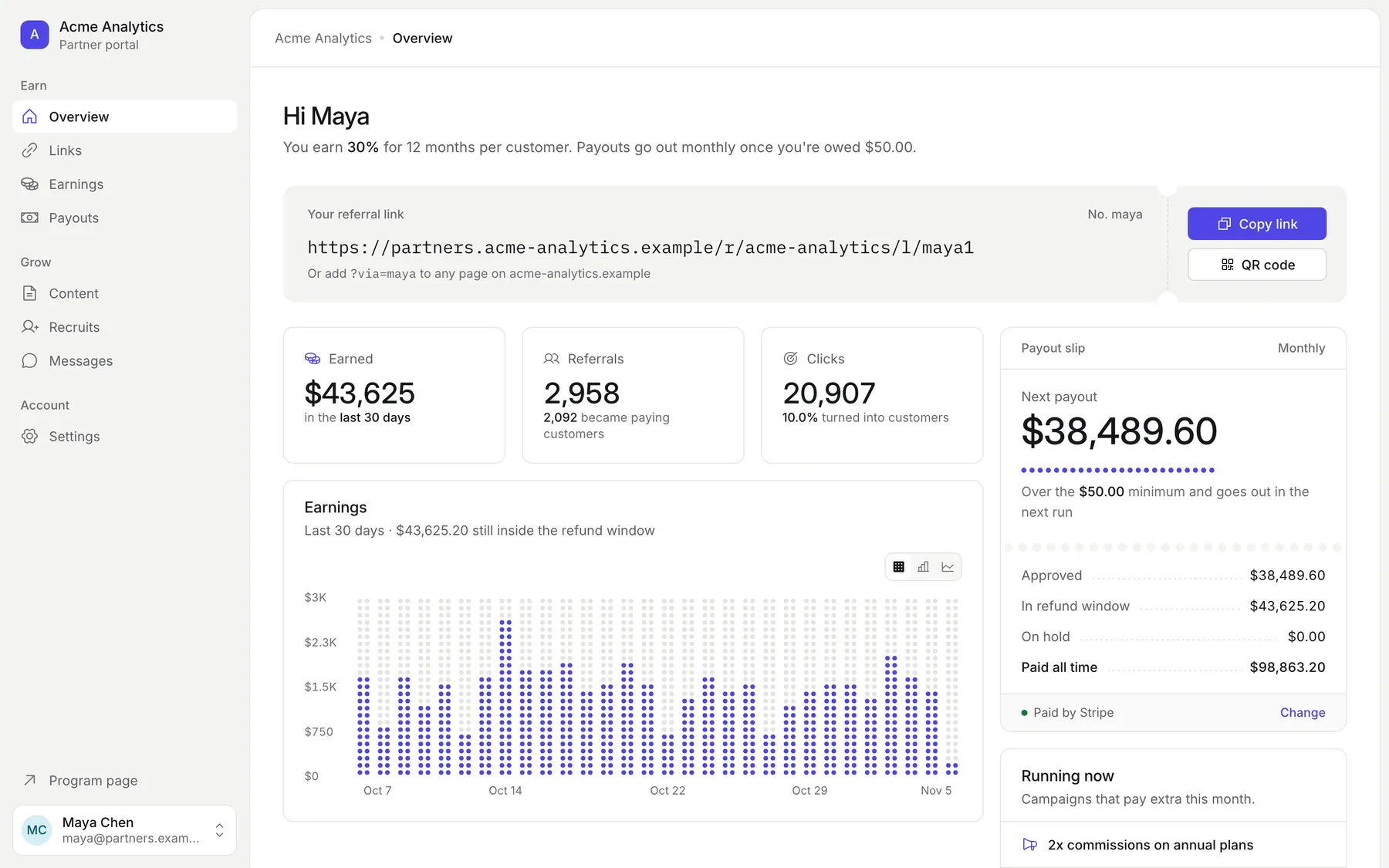
A portal on your brand that shows the whole ledger
Partners sign in to a portal branded from your website. They see their links and every commission with its status and payout.
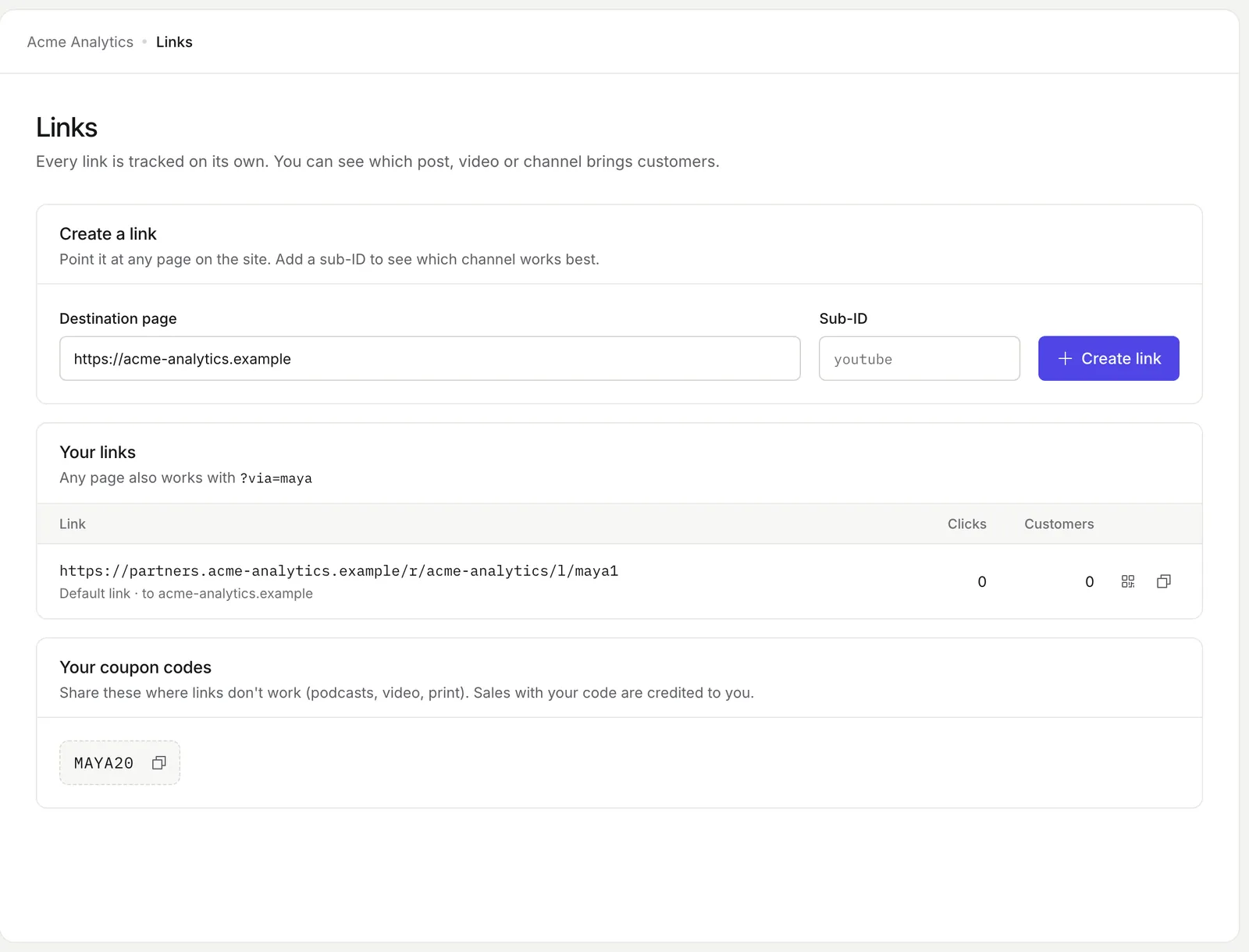
- Links with sub-IDs and QR codes
- Coupon codes to share
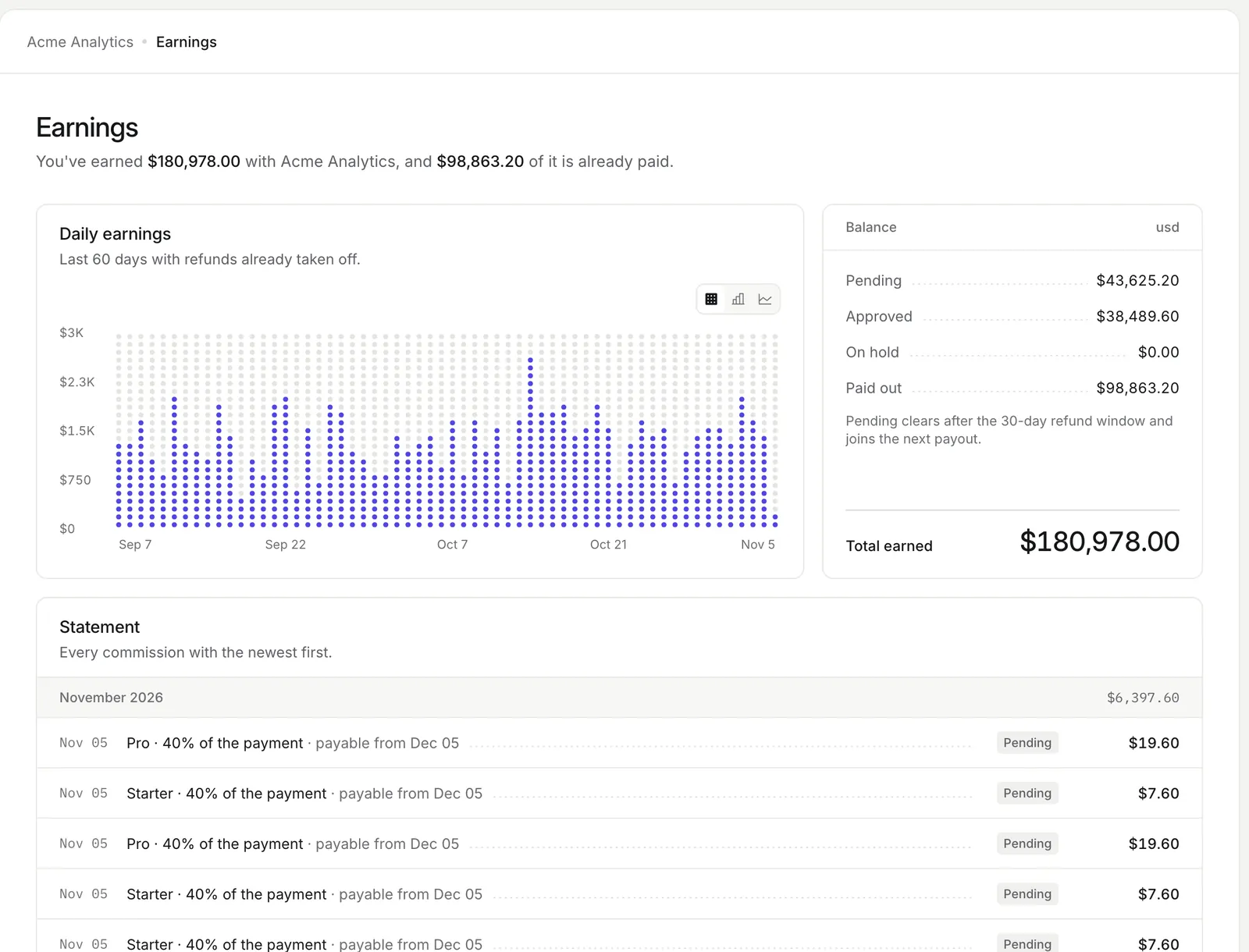
- Earnings by status with a statement
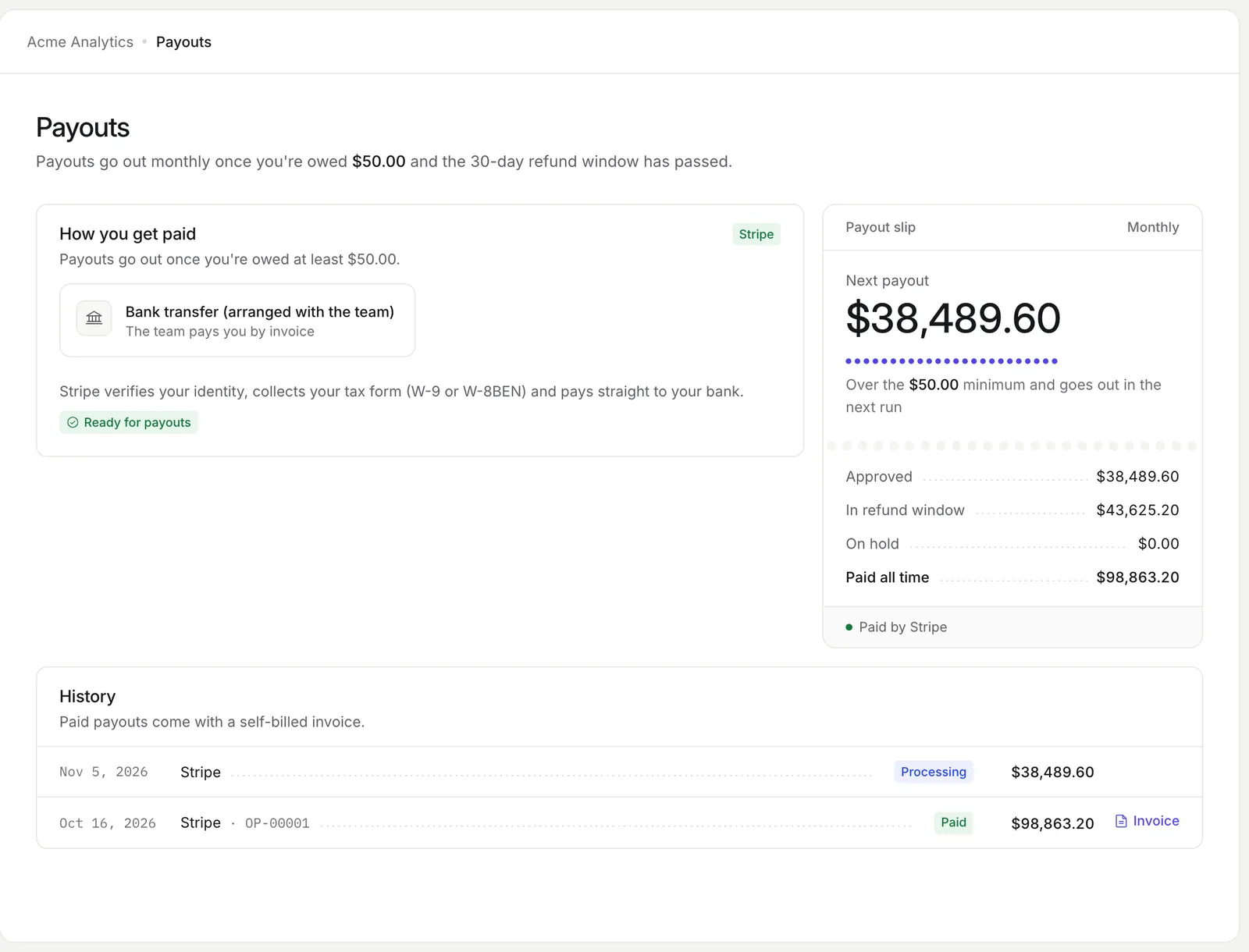
- Payout method and payout history
- W-9, W-8BEN and W-8BEN-E forms
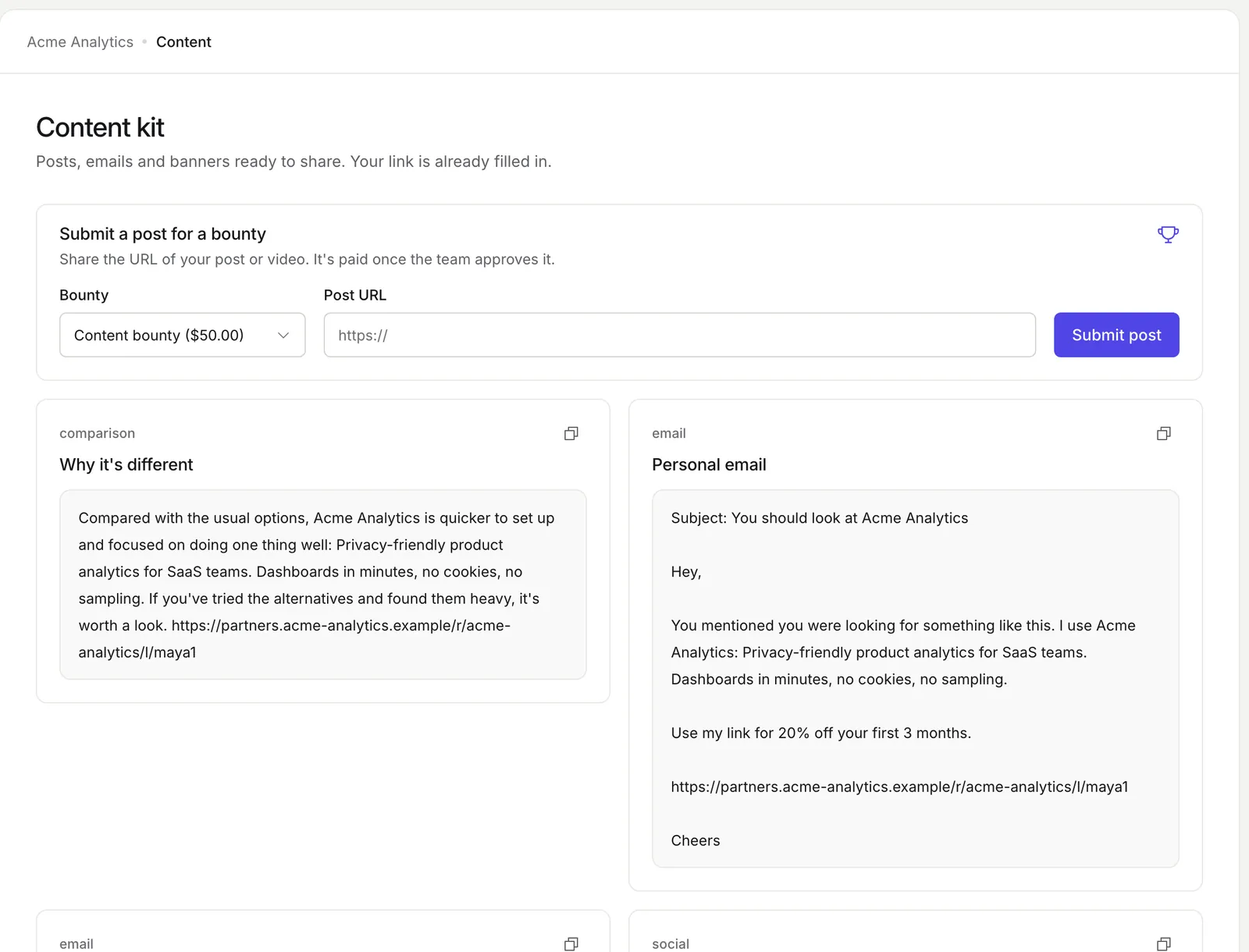
- A content kit with their link filled in
- A recruit link for new partners
- Your own domain from Cloud Starter
The real screens
Captured from the demo program in the OpenPromoter app.
How it works
- 01
A partner applies
They apply on your program page and answer your questions. Auto-approve rules can let them in at once.
- 02
They get their links
The portal gives them a code link, deep links with sub-IDs, a QR code and coupon codes.
- 03
They follow every commission
Each sale shows its status and the date it becomes payable.
- 04
They get paid
Partners pick a payout method and submit a tax form. Each payout comes with a self-billed invoice.
What partners see in the affiliate portal
The portal gives partners everything they need to promote you and get paid. They see every commission with its status.
Links and QR codes
Code links, short links, deep links and a QR code for each.
Commission ledger
Every commission with its status and the payout it belongs to.
Payout method
Stripe Connect, PayPal or Wise from the ones you allow.
Tax forms
W-9, W-8BEN or W-8BEN-E submitted in the portal.
Content kit
Swipe copy, posts, emails and banners plus your own files.
Messages
Direct messages and announcements from your team.
A white-label portal branded from your website
The portal looks like your product from the first visit. Brand extraction reads your logo, color and product description from your site. You review everything before publishing.
Link and text colors are darkened until they meet WCAG contrast. Run the portal on partners.yourapp.com from Cloud Starter or on any self-hosted instance. The Free plan shows an OpenPromoter badge.
An embedded referral dashboard inside your app
Customers can refer friends from inside your product without a second login. Your server mints a token that lasts one hour. The page renders one tag.
<script src="https://app.openpromoter.com/embed.js"></script>

<openpromoter-dashboard program="acme" token="TOKEN_FROM_YOUR_SERVER"></openpromoter-dashboard>
The dashboard shows the user's link with a copy button, clicks, customers referred and earnings. See the embed docs.
Applications and tiers
You control who joins and what each partner earns. A program can be public with an apply button, private or invite-only.
Applications
Custom questions and auto-approve rules by risk score, website, country and email domain.
Tiers
Each tier has its own rate. Partners move up when referred revenue crosses the line.
Custom rates
Override the rate for one partner without a new tier.
Partner network
Opt in to list your program in the public directory.
The settings involved
These settings control this feature.
- Partner portal branding
- Settings > Portal & domain
- The brand color, logo, headline and description of the portal.
- Custom domain
- Settings > Portal & domain
- Runs the portal on your own domain such as partners.yourapp.com.
- Partner marketplace
- Settings > Portal & domain
- Lists your program in the public partner directory.
- Auto-approve
- Settings > Applications
- Approves applicants who pass your risk score, website, country and email rules.
- Questions
- Settings > Applications
- Custom questions partners answer when they apply.
Questions
Something else? The docs cover every setting.
Can the affiliate portal run on my own domain?
Is the partner portal white-label?
Do customers need a separate login for the embedded dashboard?
Can partners see their commission history?
Related

[ openpromoter ]
Try it with your own Stripe account
Free on Cloud up to $1k a month in partner revenue or free forever on your own server.